
I started this project because the paper attendance process at school was inconvenient. Checking and organizing paper every time felt inefficient, so I wondered whether QR codes could make attendance easier.
1. Planning
I considered fingerprints, RFID cards, and QR codes. For real use at school, cost and accessibility mattered, so I chose the most practical option: QR codes. The basic idea was to give each user a unique QR code, much like a Naver QR-code login, and let a scanner read it.
Choosing the stack
- Frontend: Vanilla HTML
- Backend: Express.js & Node.js
- Database: MongoDB
- Authentication/security: JWT & bcrypt
- UI/styling: Tailwind CSS
I relied heavily on Claude 3.5 Sonnet during development. I designed the backend flow first and then connected the frontend to it. I considered React, but finishing quickly mattered more at the time, so I chose Vanilla HTML.
2. Development
📁 project root
├── 📁 css
├── 📁 js
├── 📁 node_modules
├── 📄 change-password.html
├── 📄 dashboard.html
├── 📄 find-password.html
├── 📄 hub.html
├── 📄 index.html
├── 📄 package.json
├── 📄 package-lock.json
├── 📄 qr.html
├── 📄 reader.html
├── 📄 signup.html
├── 📄 statistics-dashboard.html
└── 📄 tailwind.config.js
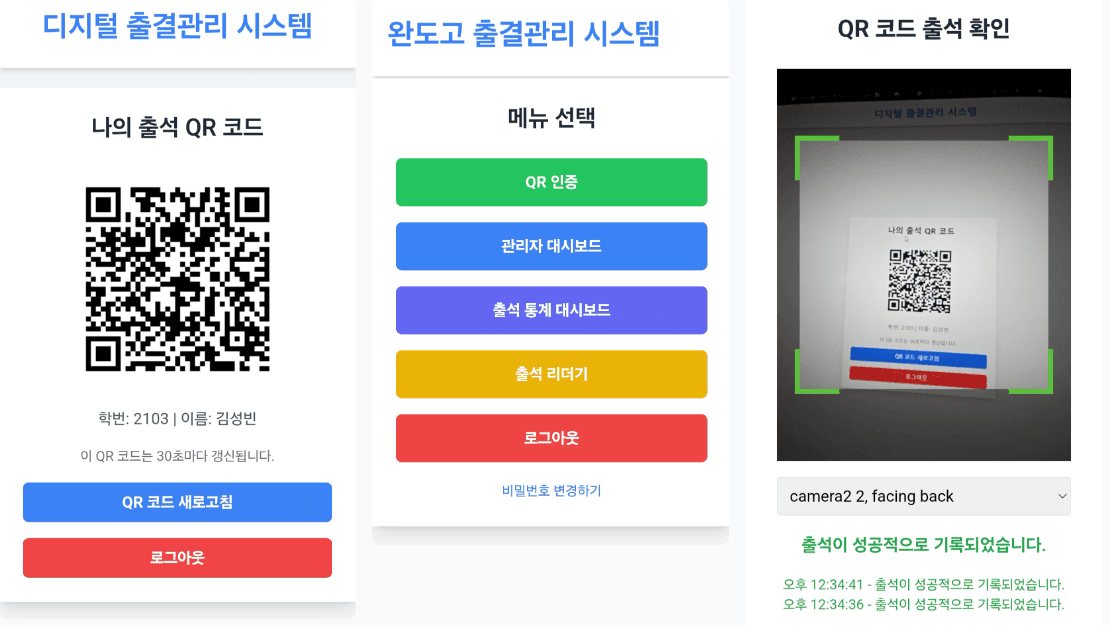
The structure was roughly as follows:
index.html: login pagehub.html: routes users based on their permissions- regular users: automatically redirected to
qr.html - admin/reader users: choose a menu on the hub page
- regular users: automatically redirected to
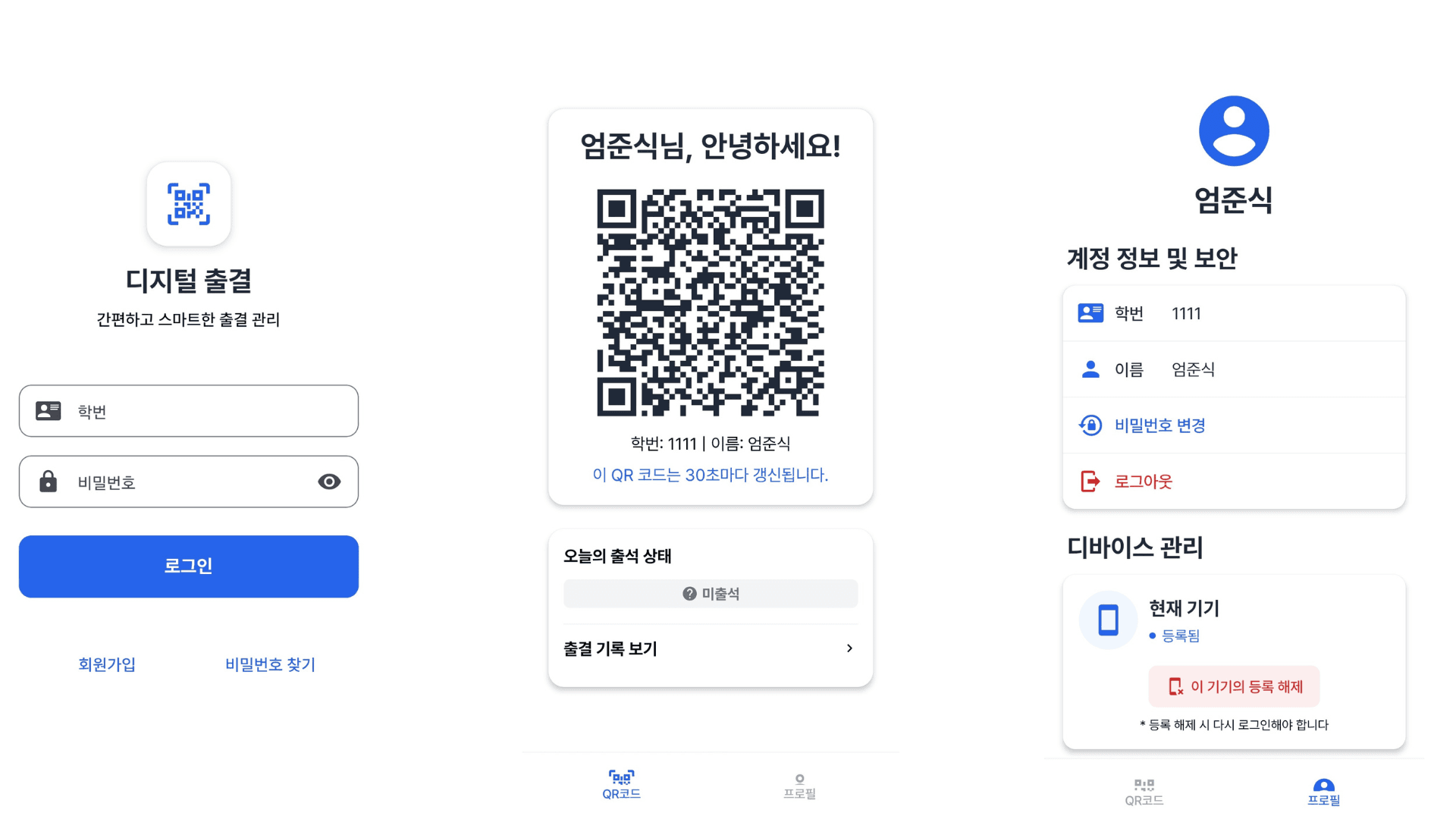
qr.html: displays an encrypted QR code that refreshes every 30 secondsreader.html: QR-code scanning page
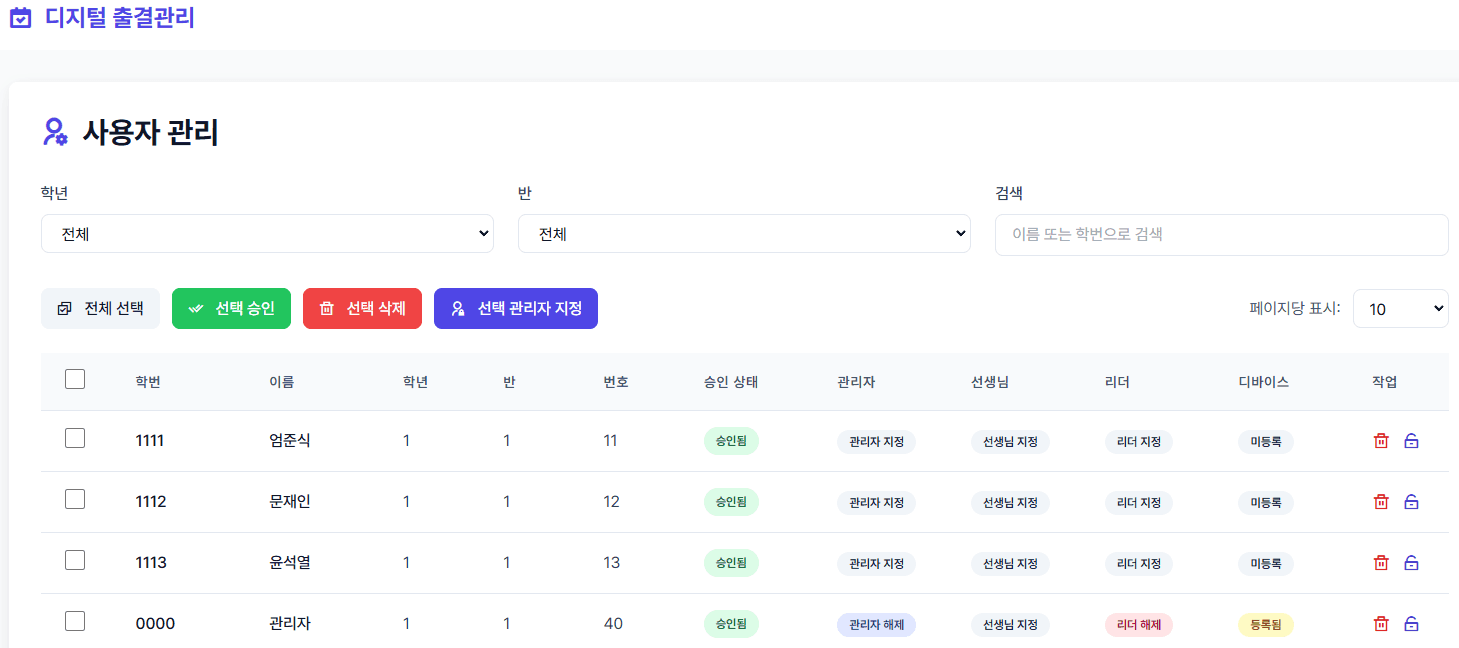
The administrator dashboard handled user approval and permission management.
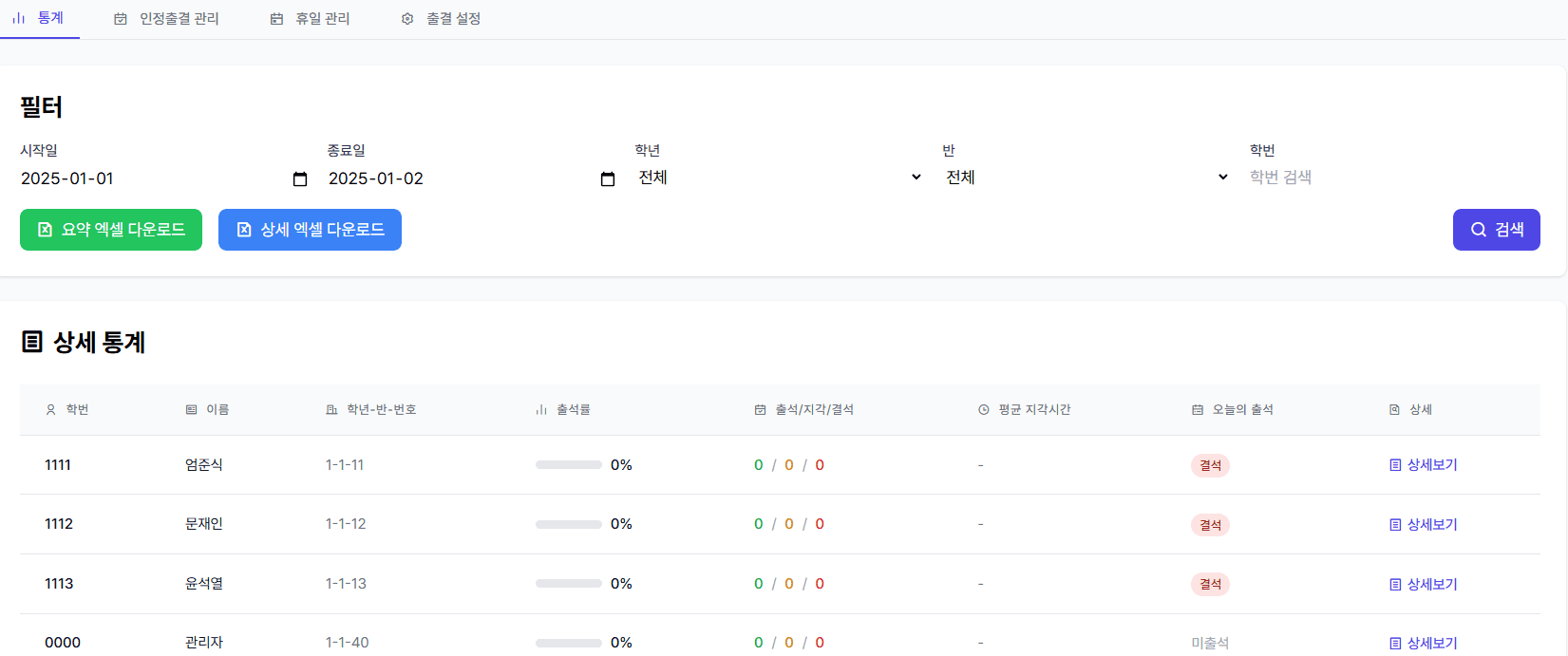
The statistics dashboard received the most attention. It showed the overall attendance status and detailed statistics for each student.
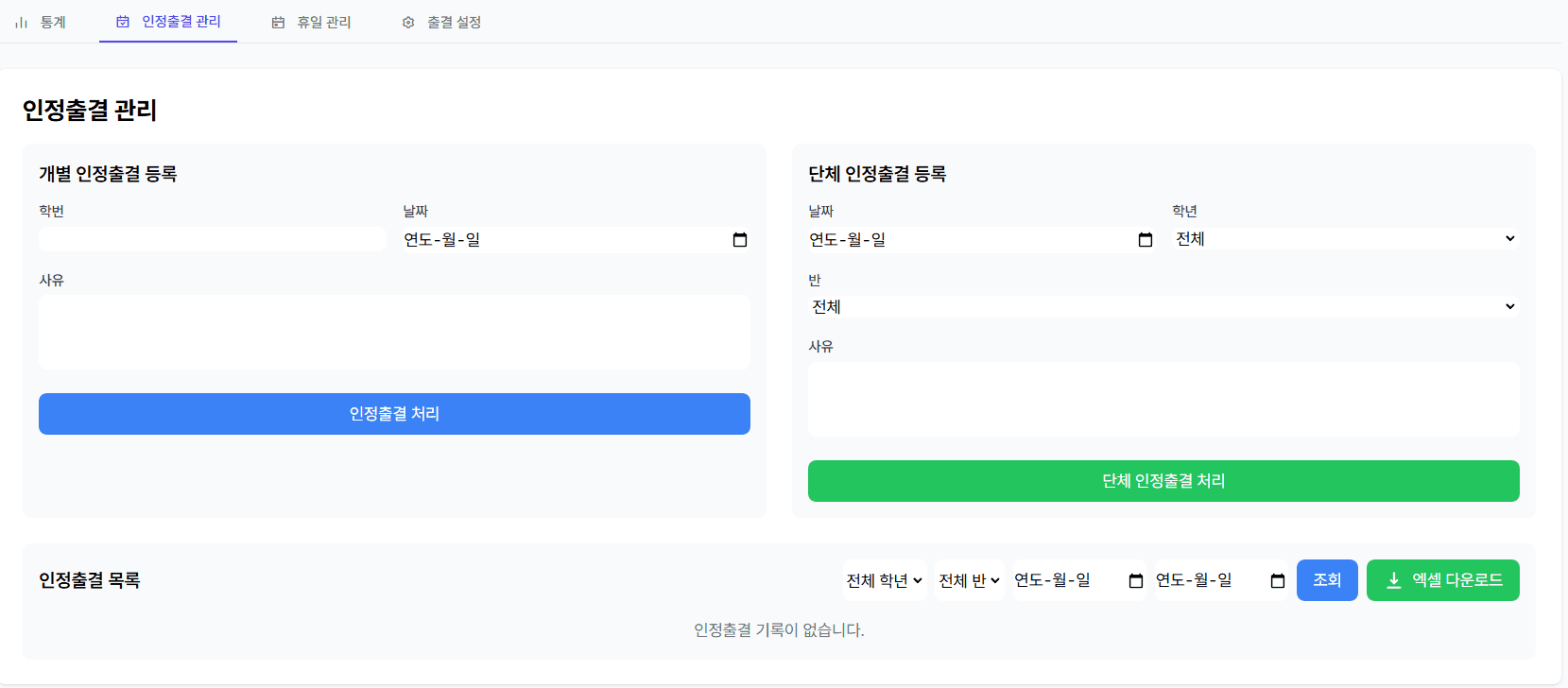
Special cases, such as sick leave, could be recorded as approved attendance.
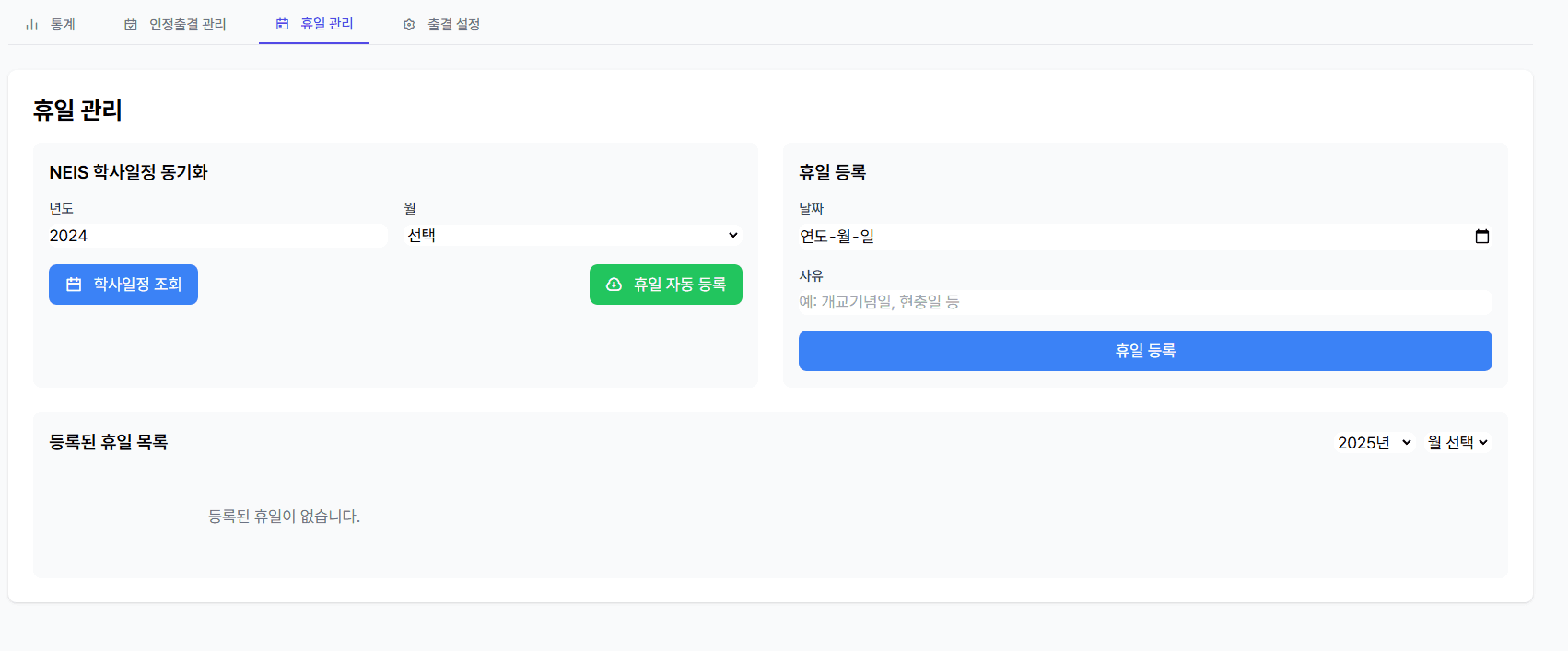
I connected the NEIS academic calendar API so weekends and holidays were handled automatically.
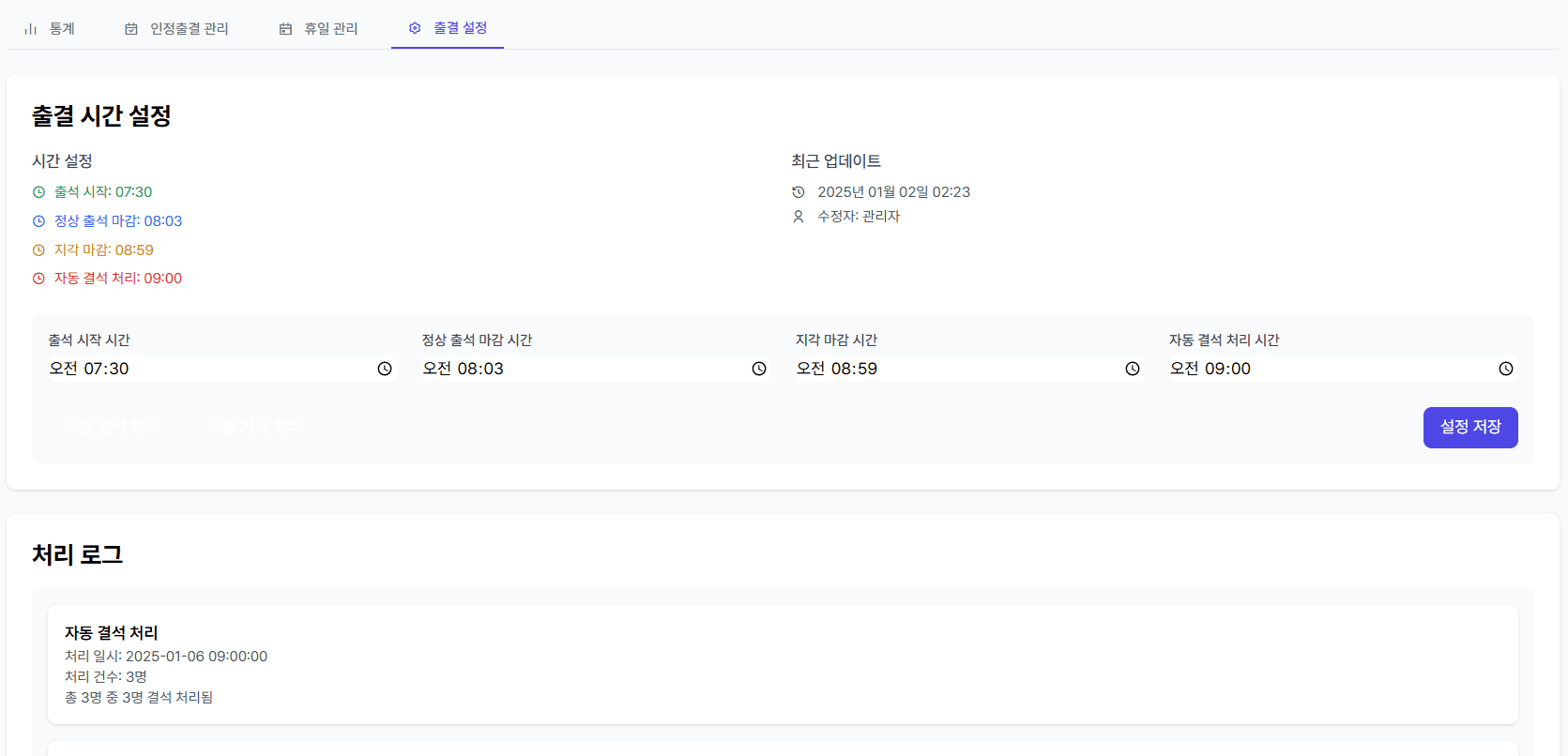
I also added settings for the cutoff times for attendance, lateness, and absence. If no record existed after the cutoff, the system marked the student absent automatically.
I also built a hybrid app with React Native.
3. Looking back
I piloted the system in my class from September to December 2024 and confirmed that it worked reasonably well. While building it, I thought feature implementation would be the hardest part. Operating it taught me that small policies—user approval, exception handling, and cutoff times—mattered much more.
I could not release the app immediately because of age restrictions at the time, but the project gave me direct experience solving a real problem at school with software.